Visnova AI Fashion Image & Video Studio · Blog & Guides

Footwear, Handbags & Accessories AI Photoshoot Playbook: Generating Hyper-Realistic On-Foot & Lifestyle Campaigns

In fashion e-commerce, footwear (high heels, sneakers, boots, sandals) and fashion accessories demand exceptional visual precision. While isolated white-background product shots depict basic shape, shoppers struggle to evaluate real-world scale, ankle-slimming proportions, and tactile leather texture across authentic settings.

Historically, producing on-model footwear campaigns required booking dedicated foot/leg models, sourcing complete coordinating outfits, and leasing studio venues—driving up production costs per SKU. With the Visnova AI Footwear & Accessories Engine, a single smartphone photo is all you need to generate hyper-realistic on-model and on-foot lifestyle campaigns in 30 seconds.


Footwear & Complete Styling Visual ShowcaseVISNOVA AI
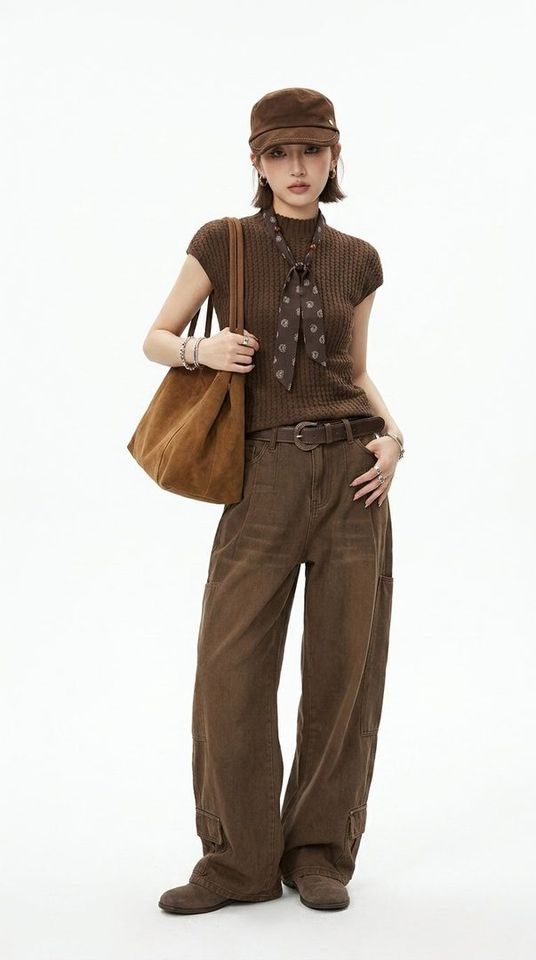
Footwear and Apparel Full Styling Commercial Campaign Cohesive Footwear & Wardrobe Styling Campaign (Visnova AI Render)
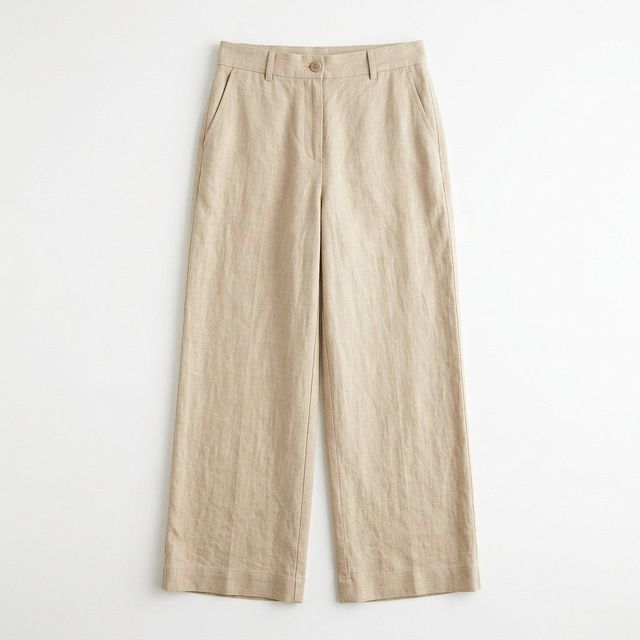
Pants and Footwear Still-Life Source Asset Intelligent Material Fitting from Still-Life Assets

1. Why Footwear Brands Urgently Need Real On-Foot ImageryVISNOVA AI

  • Eliminate Fit & Proportions Anxiety: Realistic on-foot imagery visually demonstrates toe-box comfort, instep clearance, and heel height proportions, dissolving consumer hesitation.
  • Dramatically Elevate Perceived Value: Editorial styling paired with urban streetscapes transforms affordable footwear into $100+ premium designer collections.
  • Drive Substantially Higher Ad CTR: On Meta (Facebook/Instagram) and Pinterest ads, lifestyle on-foot imagery delivers 65%+ higher click-through rates compared to static packshots.

  • 2. 3 Steps to Render High-End Footwear Model ImageryVISNOVA AI

    Step 1: Capture a Clean Still-Life Photo

    Snap a smartphone photo of a single shoe or a pair (a 45-degree angle works best in even lighting). No background cutout required.

    Step 2: Select Styling Outfits & Model Demographics

  • Leg Proportions & Tone: Select slender, athletic legs with fair, sun-kissed, or deeper skin tones.
  • Pants / Skirt Ensemble: Pair automatically with light-wash straight-leg denim, elegant slit skirts, black activewear leggings, or tailored trousers.
  • Environmental Context: Sunlit Parisian balcony, minimalist marble gallery, autumn Soho street, or modern architectural lounge.
  • Step 3: One-Click Render & Export

    Trigger generation to allow the engine to map outsole contours, leather sheen, and metallic buckle glints. In 30 seconds, export 4K on-foot lifestyle photos featuring authentic ground-contact shadows.
    Related content

    Explore related topics

    View all →
    Frequently Asked Questions

    Frequently asked questions

    Common questions about fashion image and video production

    Will AI preserve leather gloss, buckles, and laces exactly?
    Not always. Generated images may change material appearance, color, edges, or hardware. Review close-ups against the actual product before publishing.
    Can I create images for bags, jewelry, and other accessories?
    Available item types and controls depend on the current product interface and account. Check the available options and test a sample before planning a production workflow.
    ⚡ Create a draft · results vary by input

    Create a fashion visual draft with AI

    Upload garment imagery you are authorized to use. Review the result and platform rules before publishing.

    View plans →