FLUX Video Upscale: features, output limits, and review tips
Black Forest Labs offers FLUX Video Upscale, a video super-resolution tool that regenerates frames at a higher resolution instead of simply stretching existing pixels. Its official documentation describes Precise and Creative modes and output up to 4K. The result can add or change detail, so an upscale is not a guarantee that the source will be reproduced exactly.
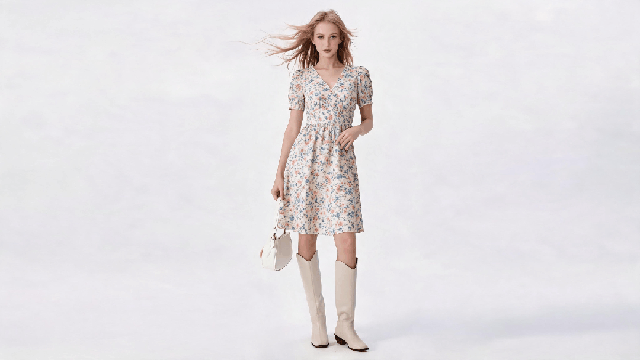
For apparel and e-commerce teams, the key question is whether the processed clip still matches the product and is suitable for its intended placement. Review any output before publishing.

AI-assisted apparel video example
1. What FLUX Video Upscale doesVISNOVA AI
The tool processes existing video and reconstructs image detail at a larger resolution. Black Forest Labs says it can help with soft faces and grid-like artifacts on textures such as water or grass. Generative reconstruction can also introduce plausible details that were not clear in the source.
2. Input and output limitsVISNOVA AI
According to the official product page, the API accepts video from 480p and supports an upscale factor from 1.5x to 3x. Output can reach 4K, keeps the source aspect ratio, and is capped at about 14.4 megapixels per frame. The current documentation also lists a 20-second and 50 MB input limit, with source audio preserved and standard output at 24 fps. Check the official documentation for current limits before submitting a job.
FLUX Video Upscale comparison preview
3. Choose between Precise and CreativeVISNOVA AI
The API exposes two approaches through its `creativity` setting:
Precise mode
Precise (`creativity: 0`) aims to preserve the source while sharpening it. It is the more appropriate starting point when faces, logos, garment color, or product details need to remain close to the input. It still requires review.
Creative mode
Creative (`creativity: 1`) adds or reconstructs fine detail more aggressively. Black Forest Labs warns that faces and products can drift in this mode, so compare identity, logos, shape, and pattern with the source before use.
4. A review workflow for product videoVISNOVA AI
5. Where upscaling can fitVISNOVA AI
Upscaling cannot restore information that was never captured with certainty. Generative detail may look convincing while differing from the real garment or scene.
6. Check current Visnova availabilityVISNOVA AI
This article does not announce that FLUX Video Upscale is integrated into Visnova. Check the current Visnova product interface for tools available to your account. Black Forest Labs documents the model as a standalone API endpoint on its official page. Confirm the service, limits, and applicable terms before using it in a production workflow.